Before a test, many students reread a page and hope it sticks. A study note gives the session a shape. Here is one revision session on Pythagoras’ theorem, from the first line to the matching worksheet.
Find the note
The Notes page lists every note by level, and its search box looks through titles and text. Type Pythagoras and the note appears: Pythagoras’ theorem and its applications, Level 11, worksheets 171 to 200. It also has a public page, so you can read it without signing in.
Read the goals and the key idea
The note starts with I can: find the hypotenuse or a missing leg, give exact answers with surds, and use the theorem for diagonals, ladders and distances. Then comes the Key idea: in a right-angled triangle, a² + b² = c², where c is the hypotenuse. To find the hypotenuse, add the squares. To find a leg, subtract.
Watch one worked example
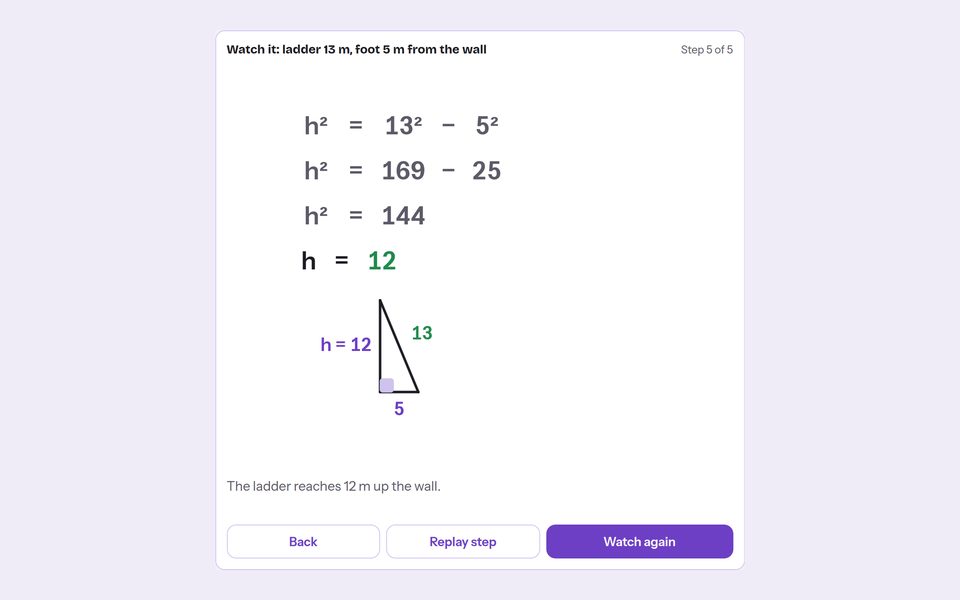
The first example has a hypotenuse of 7 and one leg of 5. Press Next step and see the subtraction happen one line at a time.
Example: hypotenuse 7, one leg 5
Try it, then check
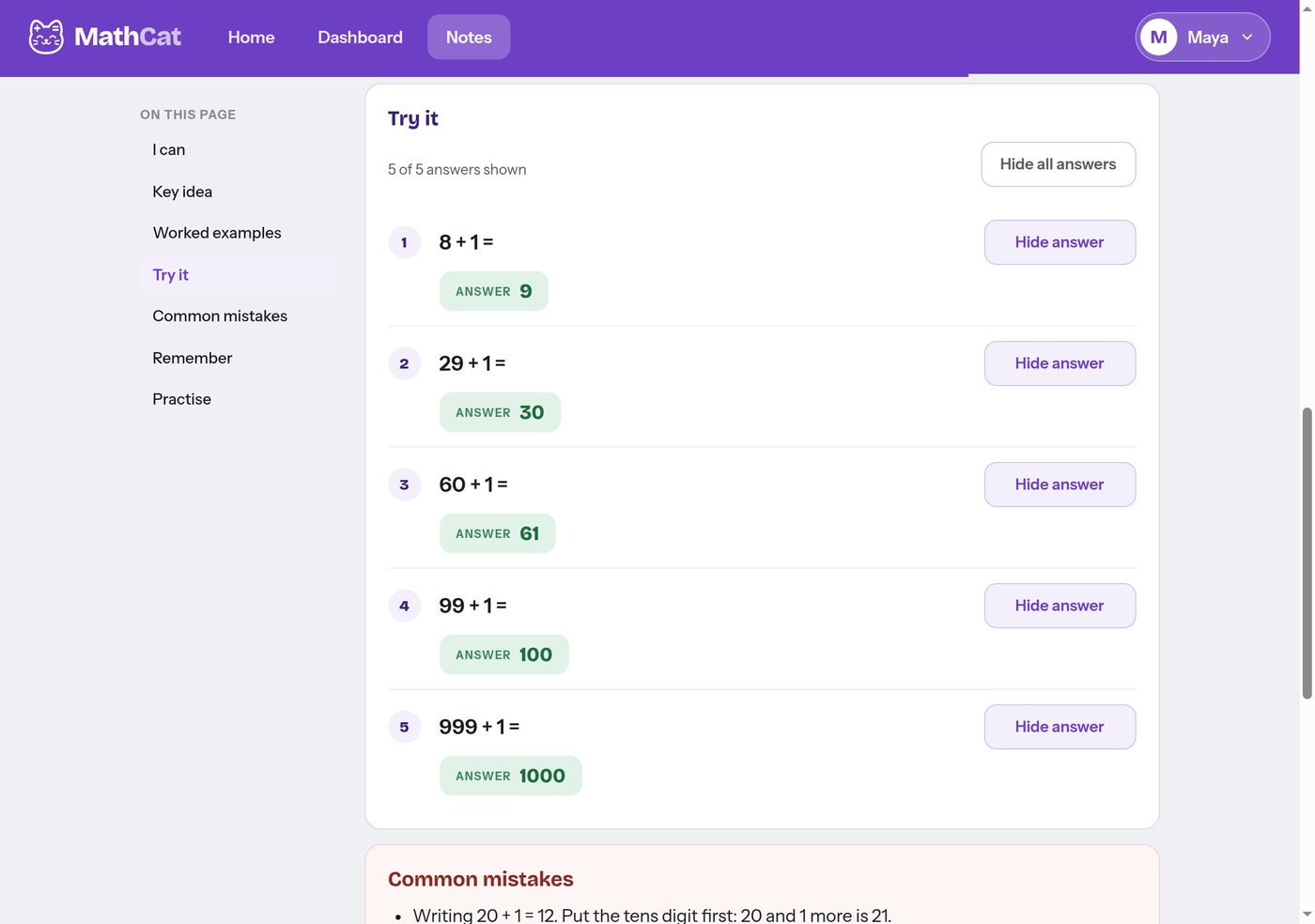
The Try it questions come with hidden answers. Cover the picture, work out the first question on the pencil area under it, and only then press Show answer. For example, a right-angled triangle has legs 10 and 24: the hypotenuse is 26. Another has legs 1 and 4, and its hypotenuse is √17, which you type as sqrt(17). If an answer is different, rub out your working with the Eraser and try again before you look at the example again.
Learn from Common mistakes
Do not skip this section. For Pythagoras it lists three traps: adding when you need to subtract, forgetting the square root at the end, and using the whole base for the height of an isosceles triangle when you need half of it.
Practise
The note ends with Practise, which leads to worksheets 171 to 200. Write one by hand. If it needs corrections, the result card has Review the note to bring you back to this page, and the loop starts again.
See what is inside every note and how Watch it works.
Questions people ask
How do I find the study note for a topic?
Use the search box on the Notes page, press the Notes button in a worksheet header, or open Home, which shows the note for your next worksheet.
What is the Try it section for?
It has a few questions with hidden answers. You work them out first, then press Show answer or Show all answers to check.
Which worksheets does the Pythagoras note go with?
Worksheets 171 to 200 of Level 11.
Can I read the notes without an account?
Yes. Every study note has a public page that anyone can read.
How do I write sqrt(17) in an answer?
Type it as sqrt(17). The note explains this in the Key idea.